Everyone tells you to pick the best IPTV service. Nobody tells you how to actually find out whether one is any good before your money is gone. Reviews are written by people who watched for ten minutes. Channel counts are marketing. The only thing that settles it is a week of deliberate testing.
This page is that test. Seven days, a short scorecard, and a decision at the end. It works on any provider, including ours, and it takes about fifteen minutes a day.
Quick Answer: Test any service across one full week before paying for more than a month. Score it on five things: peak-hour stability, your own channel list, guide accuracy, support response, and billing clarity. A service that scores well on four out of five and badly on stability is not a good service.
Why Does Finding the Best IPTV Service Take a Week?
Because the failures that make people cancel do not happen on demand. A service can look flawless on a Tuesday afternoon and fall apart on Saturday night when everyone in your timezone is streaming at once. Ten minutes tests the channel list. A week tests the servers.
The best IPTV service on a quiet morning and the best IPTV service on a Saturday night are often two different providers. There is a second reason too. A billing cycle exposes things a trial cannot: whether the app gets updated, whether channels quietly disappear, and how the company behaves when you ask a question that is not about buying something.
- Peak hours are the real test. Weeknight evenings and live events, not quiet mornings.
- Your channels, not their demo. A screenshot of 30,000 channels tells you nothing about the six you watch.
- Repetition beats first impressions. One good night is luck. Five good nights is a pattern.
- Support is part of the product. You will need it eventually. Find out now, not during a final.
What Should the Best IPTV Service Actually Score Well On?
Five things, weighted by how much they hurt when they fail. This is the whole of what makes the best IPTV service, stripped of marketing. Stability matters most because nothing else survives it. Content comes second, then guide data, support, and billing clarity. Score each out of five as you go, and be honest, because you are the only person who sees this.
| What you score | Out of | What a 5 looks like | What a 1 looks like |
|---|---|---|---|
| Peak-hour stability | 5 | Five evenings, no freezes worth mentioning | Buffering every night after 8pm |
| Your channel list | 5 | Every channel on your list opens and stays open | Half are dead links or wrong feeds |
| Guide data | 5 | Correct programme names on the correct times | Blank slots or three-hour offsets |
| Support | 5 | A clear answer from a human, same day | Silence, or a copy-paste reply |
| Billing clarity | 5 | Price, renewal and cancellation all findable | You cannot tell what renews or when |
Twenty or above is a service worth committing to. Between fifteen and nineteen, stay monthly and re-test in a few weeks. Below fifteen, walk away, and do not let a discount talk you out of it.
One rule that overrides the total: if stability scores 2 or less, the overall score is irrelevant. Everything else is decoration on a stream that does not play.
How Do You Run the Seven-Day Test?
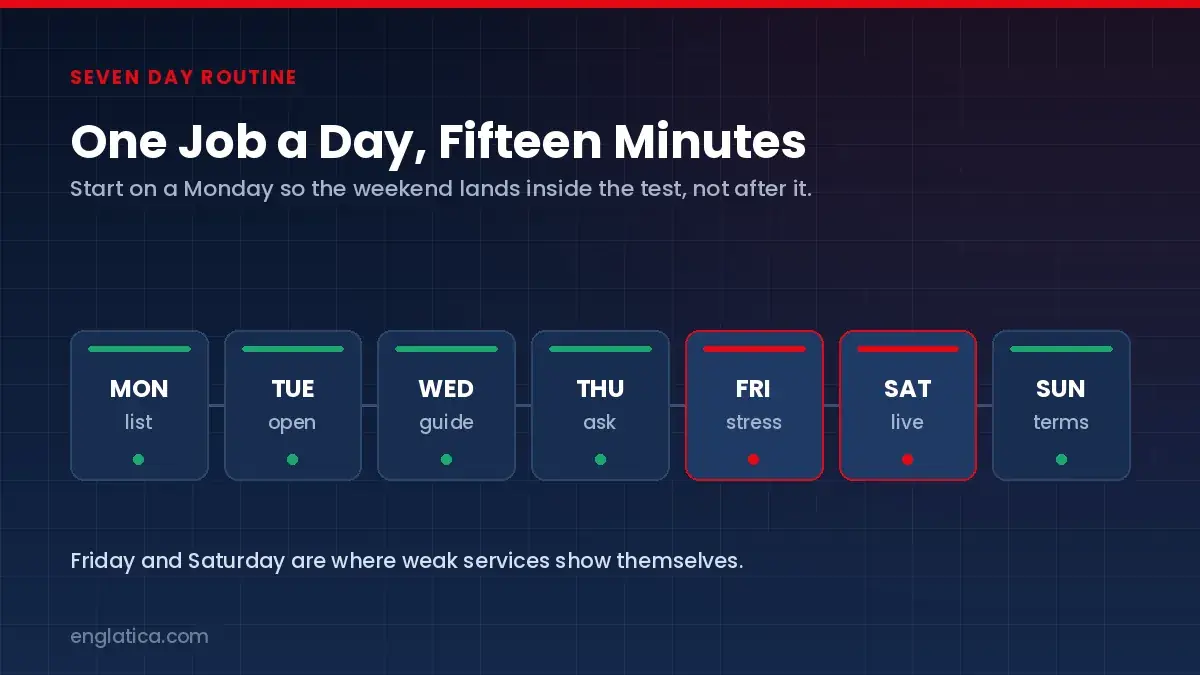
Start on a Monday so the weekend lands inside the test rather than after it. Each day has one job, takes about fifteen minutes, and produces one number for the scorecard. Do it on the TV you actually watch, not on your phone in another room.
- Monday: build your list.Write down the six to ten channels your household would genuinely miss. This list is the whole test. Everything else is a distraction.
- Tuesday: open every one.Not a quick flick. Twenty minutes on two of them. Note anything that freezes, drifts out of sync, or opens the wrong feed.
- Wednesday: check the guide.Are programme names real and on the right times for your timezone? Broken guide data ruins recordings and reminders.
- Thursday: ask support something real.Not “do you have channels”. Something specific, like whether a particular feed is carried. Time the reply and read how it is written.
- Friday: stress it.Two screens at once if that is your normal. Peak evening hours. This is where thin server capacity shows itself.
- Saturday: watch something live.Sport if you follow it. Live events are the hardest load a service ever carries and the most common point of failure.
- Sunday: read the terms.Renewal date, renewal price, cancellation method, refund policy. Then total your scorecard.
Run this during a trial and then across one paid month if you can. A trial catches the obvious failures; a month catches the pattern. Our free trial guide covers how to get the most out of the trial stage, and monthly versus yearly plans explains when a longer commitment is finally worth taking.
How Do You Read the Results Without Fooling Yourself?
Separate what the service controls from what you control, or you will blame the best IPTV service for your own router. A stream that stutters on Wi-Fi across the flat but runs clean on Ethernet is your network, not the provider. A stream that fails at 9pm on a wired connection and works fine at noon is the provider’s server capacity, and it will not improve on its own.
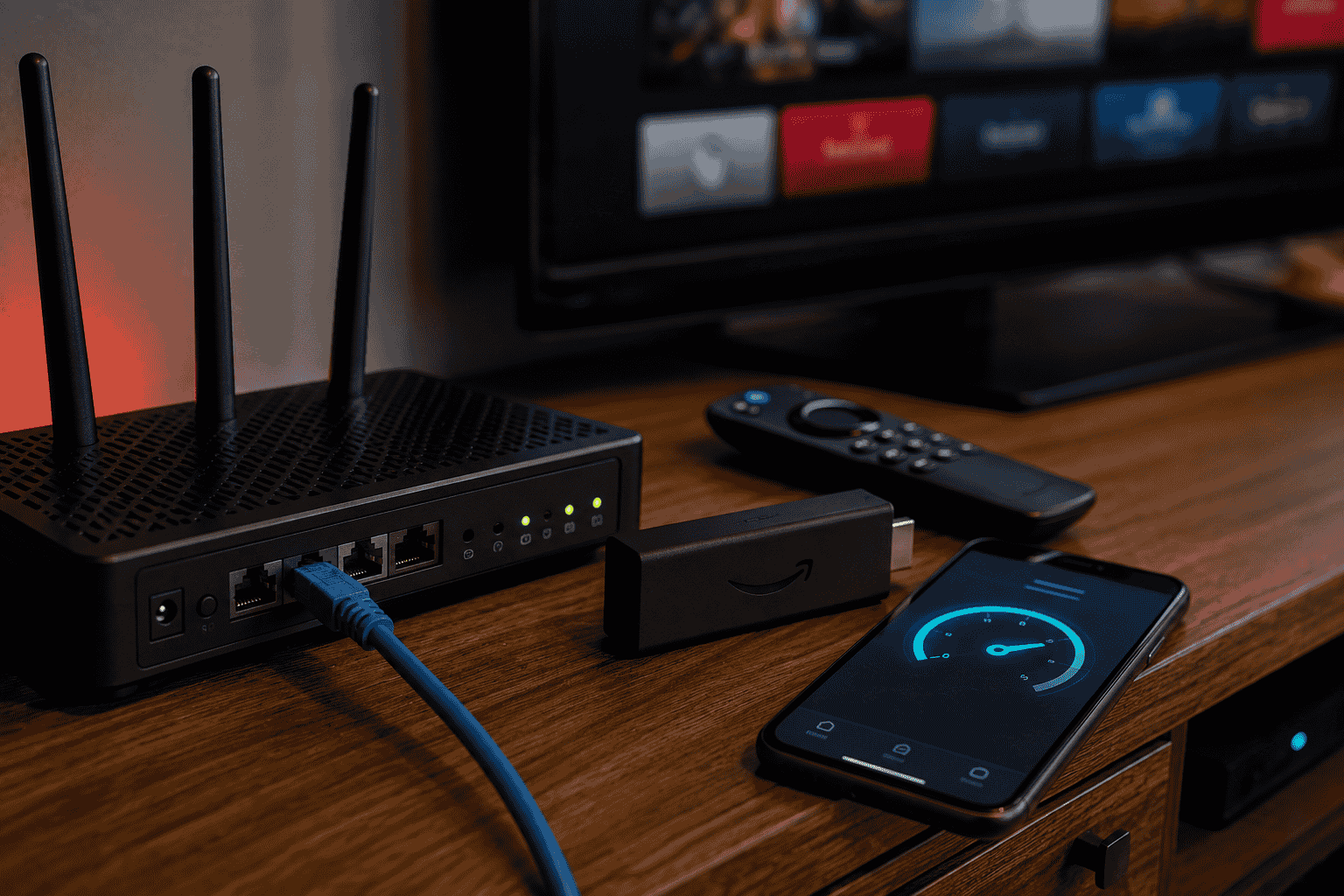
As a rough guide, plan on roughly 10 Mbps of steady capacity for one HD stream and around 25 Mbps per 4K stream, with headroom for the rest of the household. Test next to the TV rather than beside the router. If buffering only appears during live sport, our guide to buffering during live football goes through the specific causes.
| What you saw | Usually means |
|---|---|
| Fails on Wi-Fi, fine on Ethernet | Your home network, not the service |
| Fine at noon, fails at 9pm | Server capacity at the provider |
| One channel dead, rest perfect | A source problem, fixable if support responds |
| Everything fails after an app update | Poor app maintenance, a long-term risk |
| Fails only during live events | The worst pattern, and the hardest to fix |
What Makes This Test Fail?
Testing at convenient times, testing on a phone, and letting a discount rewrite the results. Each one has talked somebody into the wrong service. The first two produce false positives. The third is why people end up paying for a year of something they had already proven did not work.
- Testing only at quiet hours. A midday result tells you almost nothing about a Saturday night.
- Judging by channel count. Ten channels that work beat ten thousand that buffer.
- Skipping the support question. The one thing you cannot check after you have paid.
- Paying yearly before the week is done. The discount will still be there next month.
- Not writing anything down. Memory is generous. Notes are not.
If you are still deciding which hardware to run it on, our guide to the best devices for IPTV covers the trade-offs, and the USA IPTV comparison covers the wider market. For the legal background, the general definition of IPTV explains what the technology is and is not.
One habit that protects you no matter which provider wins: pay with a method that leaves a receipt and a dispute route, never with gift cards. The FTC’s guidance on trials and auto-renewals is worth five minutes before any subscription, not just this one.
Best IPTV Service: Quick Answers to Common Questions
How long should I test an IPTV service before paying?
One week covers a weekend and at least one live event, which is where most services fail. Follow a good week with one paid month before committing to anything longer, because a full billing cycle reveals app updates and channel changes.
What is the single most important thing to test?
Peak-hour stability. If a service freezes on weeknight evenings or during live sport, nothing else matters. Test on the TV you actually use, on a wired connection where possible, between roughly 8pm and 11pm.
Does a higher channel count mean a better service?
No. Channel totals are the easiest number to inflate and the least useful to compare. What matters is whether the specific channels you watch open reliably and carry correct guide data.
Is buffering the provider’s fault or mine?
Test the same channel on Ethernet and at a quiet hour. If it works then and fails at peak, it is server capacity at the provider. If it fails on Wi-Fi but runs clean on a cable, the problem is your home network.
What internet speed do I need?
Roughly 10 Mbps of steady capacity per HD stream and about 25 Mbps per 4K stream, plus headroom for everything else in the house. Consistency matters more than the peak figure on a speed test.
Should I take the yearly discount if the test goes well?
Only after a full paid month, and only if the renewal price is written down. A discount is a reward for a service that has already proven itself, not a reason to skip proving it.
Picking the Best IPTV Service: The Short Version
Finding the best IPTV service is a process, not an opinion. Write your channel list, test for a week at the hours you actually watch, score five things, and let the number decide. It is slower than reading a review and it is the only method that has ever saved anyone from a bad twelve-month plan.
Run the test on us if you like. That is what the trial is for, and a week is exactly long enough to find out.
Start your seven-day test with a free 24-hour trial.
Start Your Free Trial